Hypercasual
4.7
Doodle Stickman Run
Doodle Stickman Run
7,080
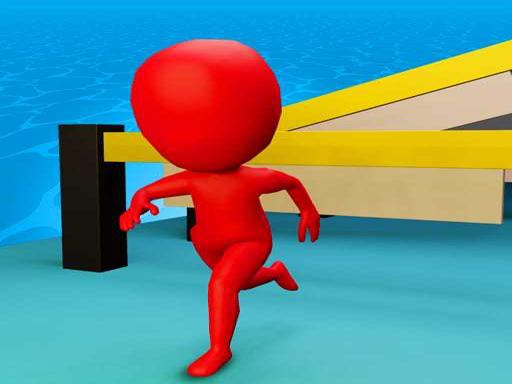
Take on the role of a professional race track athlete in Doodle Race 3D and compete to become the ultimate leader. As you navigate through various levels, face exciting challenges designed to test your skills. By finishing first in each race, you secure victory and advance to the next round filled with even more thrilling and wacky obstacles. Can you rise to the top and prove yourself as the fastest runner?
Recommended Games
Disney Junior: Toy Maker
4.16,725
In this game players control characters through various levels by solving puzzles and overcoming obstacles. Each level introduces new mechanics that require creative thinking. Characters can interact with objects in the environment to progress. Collecting items scattered throughout the levels is key to unlocking certain areas. Health points are managed by avoiding enemies or using power-ups. The ultimate goal is to reach the end of each level with all puzzle pieces solved.
Dentist Doctor ppp
4.97,839
In Mouse Controls, players navigate through levels using precise mouse movements. Clicking selects actions or items, dragging allows for interactions like pulling objects, while hovering over different areas highlights possible actions or provides information. Smooth and accurate control is key for solving puzzles and overcoming obstacles.
Grass Cut Master
4.56,645
Navigate using W A S D keys for movement or alternatively, use the mouse for navigation to explore and interact within the game environment.
Push'em Up - Dash Smasher
4.04,231
Use the left mouse button to click and drag items across the screen for various interactions and movements in the game.
Among us Arena.io
4.93,290
Use WASD or arrow keys to navigate your character. Move left with A or left arrow, right with D or right arrow, up with W or up arrow for jumping, and down with S or down arrow to crouch or interact with objects as needed.

Crazy Car Parking
4.63,246
In Keyboards Controls gameplay, players use keyboard inputs to navigate and interact within the game environment. Arrow keys or WASD control character movement, spacebar for jumping, and other keys for actions like attacking or interacting with objects. This setup allows for responsive gameplay, enabling quick reactions and strategic maneuvers.
Geo Jump
4.85,834
Use the mouse to click and interact with elements in the game to play.

Baby Pandas Juice Maker
4.17,817
Click or tap the screen to interact and progress through the game. Use these inputs to trigger events, select options, or control elements within the game environment.

Mermaid Dress up & Makeover - Color by Number
4.24,639
Please provide the current gameplay description so I can assist in generating a new, more understandable version for users.

Draw To Home
5.07,105
Click or tap the screen to interact and progress in the game.
Extreme Ping Pong Dash Challenge
4.17,740
In this game, left clicking typically selects or interacts with objects or initiates actions. Right clicking often opens a context menu offering additional options like moving, rotating, or detailed interactions specific to the selected object. This dual-click system allows for efficient navigation and interaction within the game environment.

Santa Weightlifter
4.34,062
Click or tap on the screen using your mouse or finger to interact and play this game.

Flappy Family
4.66,728
The quicker you tap, the higher your ascent. Each tap mimics a wing flap, propelling you upward. Pausing results in a descent toward the ground.

Geo Drop
4.24,565
Touch and release to launch the balls, breaking shapes and clearing levels.
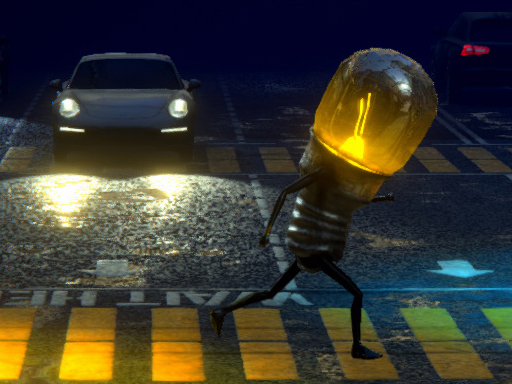
LAMPADA STREET GAME ONLINE
4.34,027
Move using any key to navigate through the levels. Press space to jump over obstacles or reach higher platforms.

Icy or Fire dress up game
4.26,168
Please provide the current gameplay so I can generate an enhanced version for you.

Disney XD: Ultimate Air
4.55,202
Get ready to explore the world of beloved Disney XD characters. Use your mouse and skills to succeed. Watch for the cursor to change to green then click to jump. Gather coins and avoid enemies by tapping.

Jump Ball
4.67,006
Control the character using mouse clicks or touchscreen taps for easy navigation and interaction within the game environment.

Ball Picker 3D
4.97,450
Use your mouse to begin by clicking the play button on the main menu. In this game, you control a U-shaped metal object. Click the screen and drag your mouse left or right to move it accordingly.